
Your Word templates.
We build the templates with you from your current documents, keeping the property's layout, logos and clauses. Each property has its own templates.
EventDocs Studio
Proposals, contracts and function sheets built from your Word templates, using the block data, with no re-keying.
The block is entered in OPERA Cloud, then copied into Word to produce the documents sent to the client. That double entry comes at a cost:
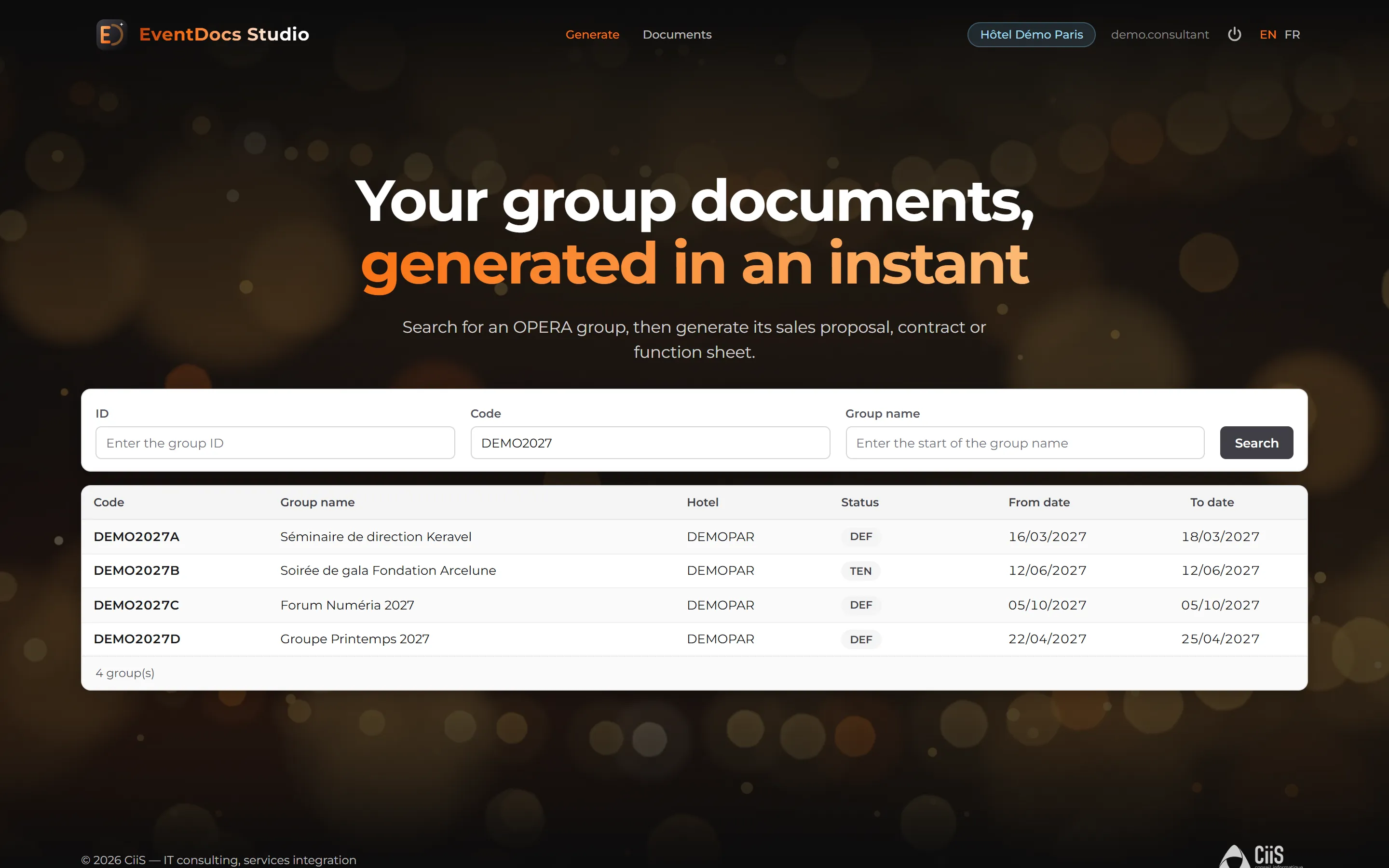
From a link added to the block screen in OPERA Cloud, or by searching for it in EDS by number, code or name.
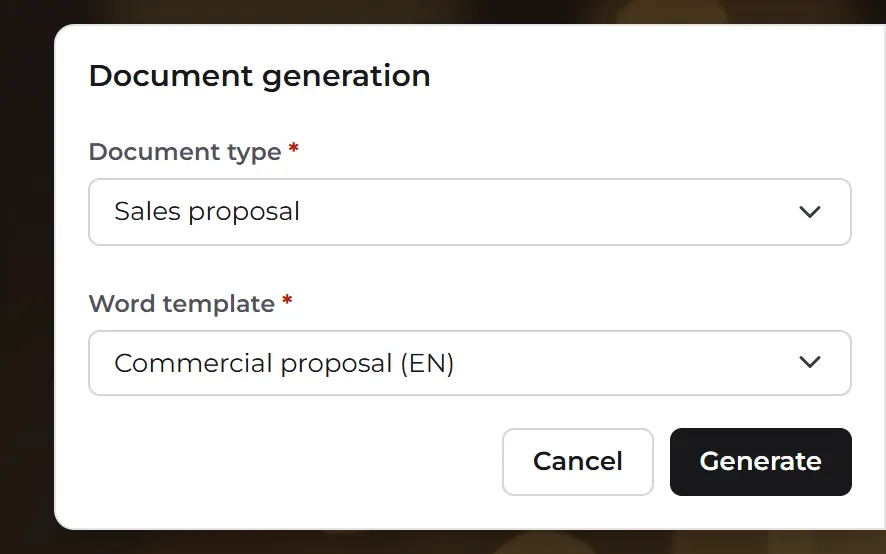
Proposal, contract, function sheet or any other template built with the property, in French or English.
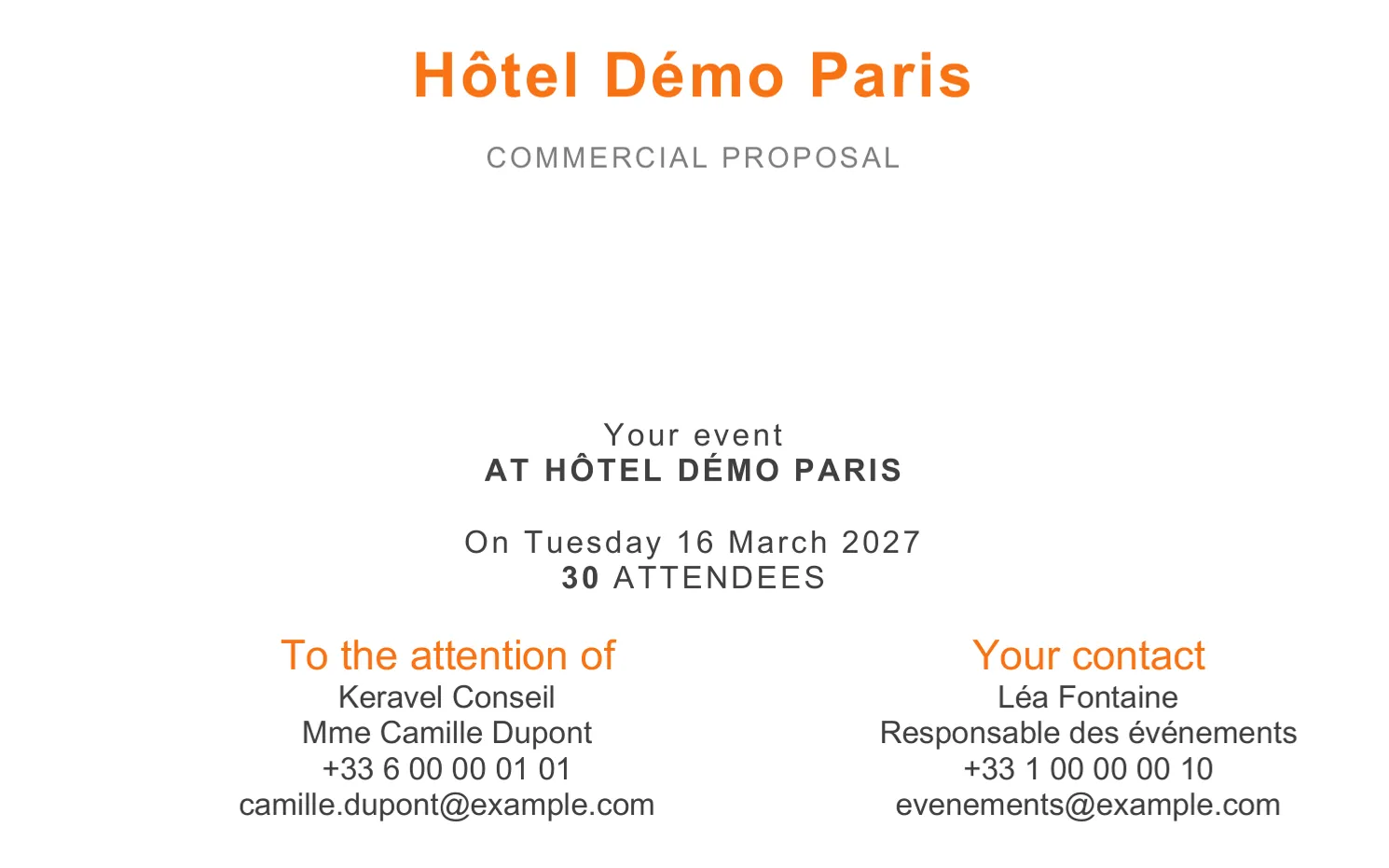
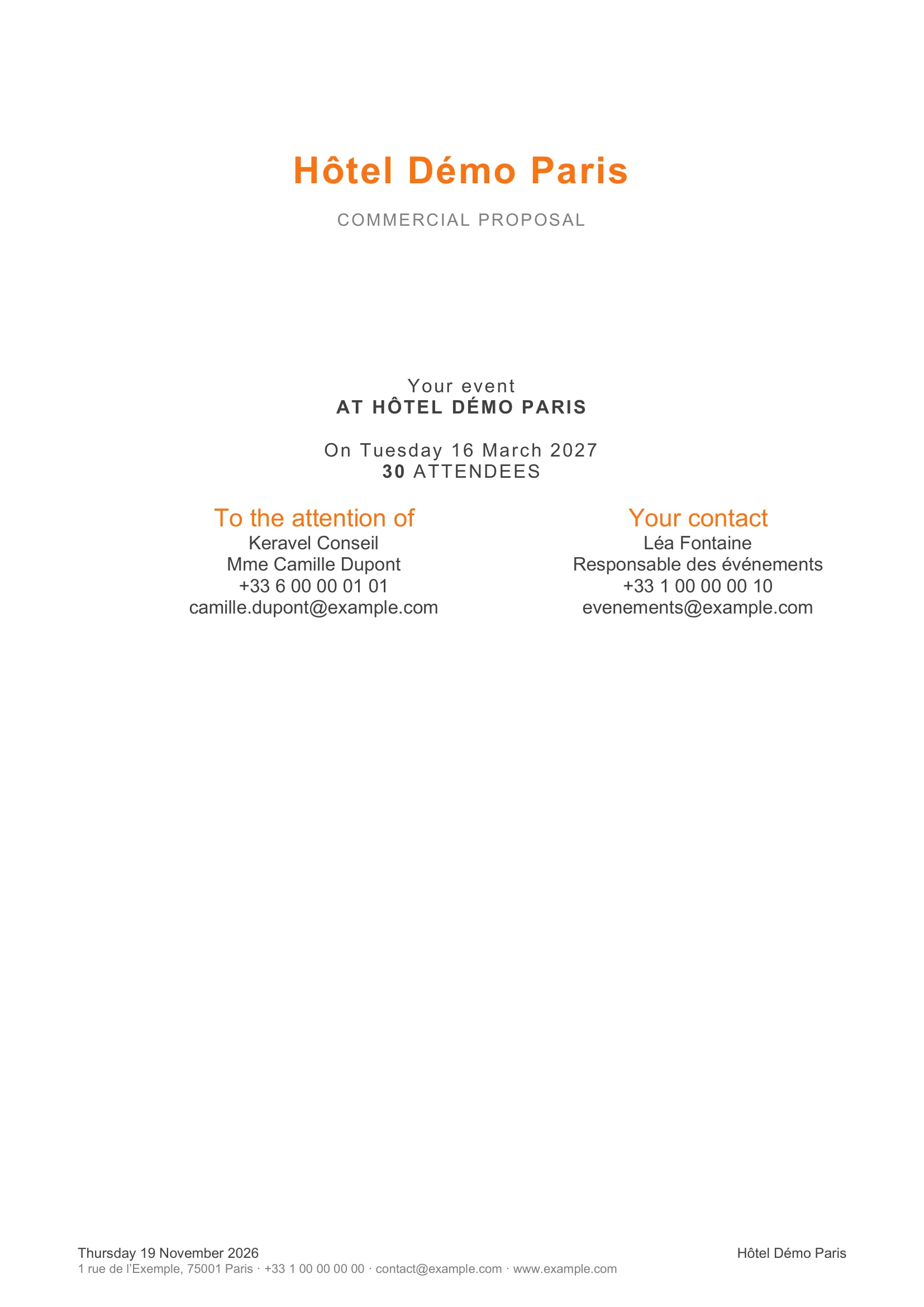
A Word file in the property's own layout, ready to review and send.
We build the templates with you from your current documents, keeping the property's layout, logos and clauses. Each property has its own templates.
Room grid and rates, events with times and attendance, function rooms and setups, detailed menus, packages and services, net and gross amounts, company and contact details.
The document language is the template's. Room, menu and room type names are taken from OPERA Cloud in that language, and your standard texts exist in each language.
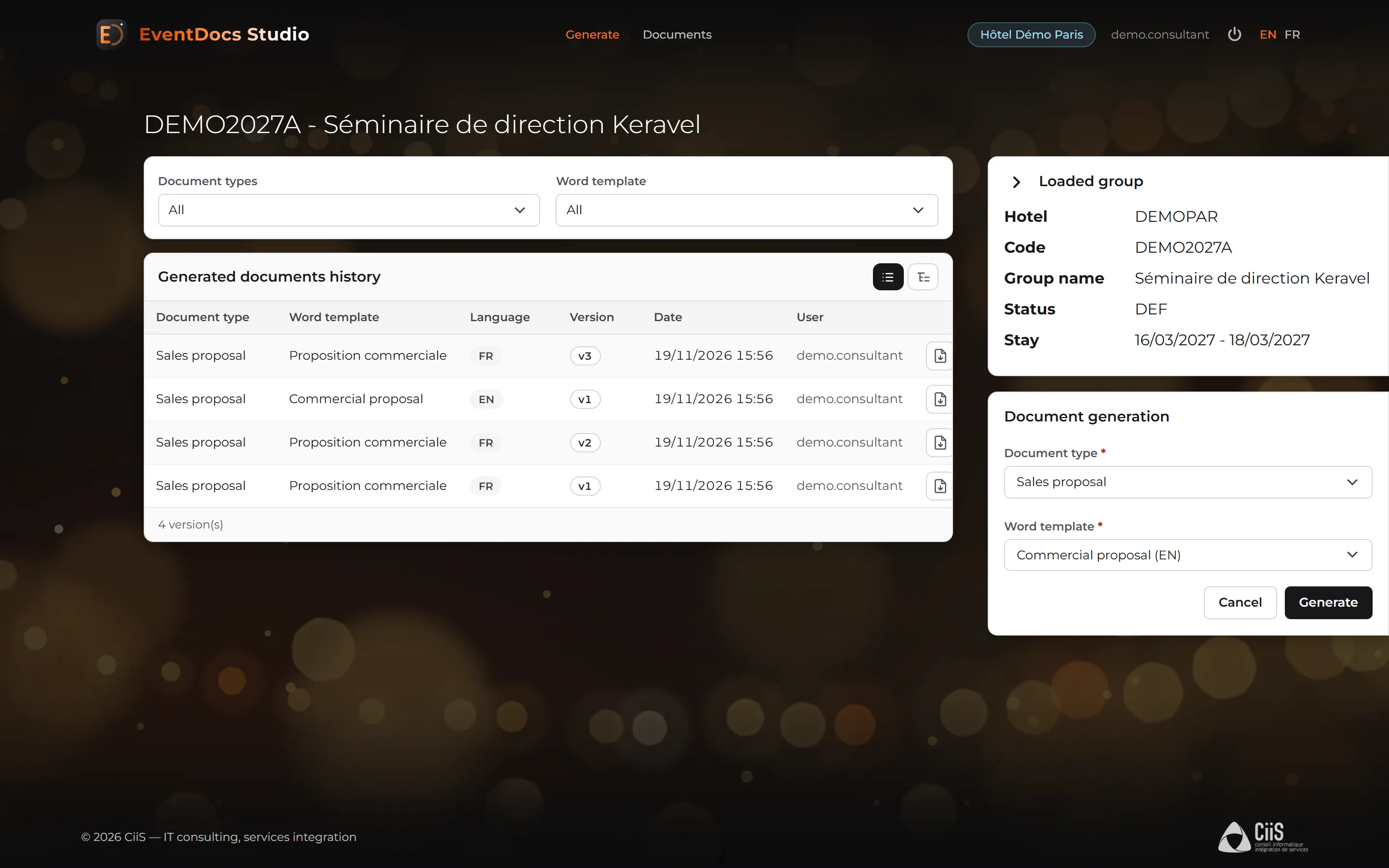
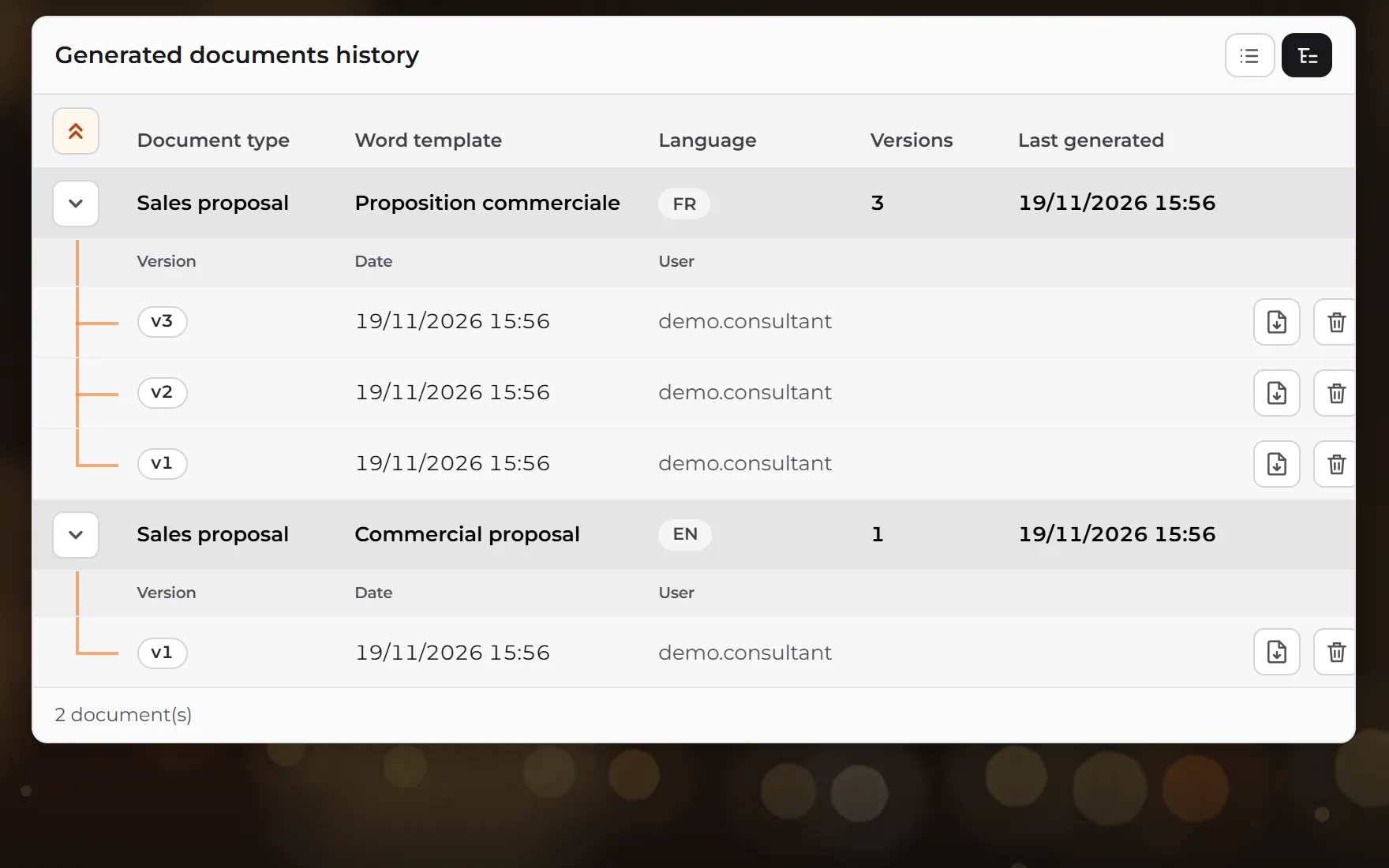
Every generated document is kept with its date, author and template. It can be downloaded again exactly as it was produced.
In both cases, the document will still be produced by the merge engine: the same block and the same template always give the same document.
EDS is designed and built by CiiS. Since its founding, CiiS has worked for the hospitality and food service industry: business application design and development, integrations and interfaces around OPERA and its ecosystem (OHIP, R&A, OXI, etc.), reporting, consulting and project support.
Yes. EDS currently reads OPERA Cloud blocks.
Yes. We build the EDS templates with you from your current documents.
No. EDS reads the block and never writes to OPERA Cloud.
Yes. EDS keeps every generated document with its date, author and template, and downloads it again exactly as it was produced.
French and English. Other languages can be added, provided their translations exist in OPERA Cloud.
Yes. EDS is available as SaaS, hosted on Azure in Europe, or as an installation on your servers.
On quotation, based on the number of properties and templates to build.
Send us one of your current event documents (proposal, contract or function sheet) and we will show you what EDS does with it.